The free AI-powered marine aquarium app. Track water parameters, scan test kits with your camera, and get personalised advice to keep your reef thriving.
*AI-powered features (Advisor, Test Kit Photo Reader, Tank Intelligence) may incur a small usage fee in the future.
ReefTracker is a marine aquarium management app built for reef keepers who want more than a simple logbook. It combines water parameter tracking with AI-powered analysis to give you actionable insights about your tank.
Most aquarium apps just store numbers. ReefTracker interprets them — detecting trends, correlating maintenance actions with parameter changes, and telling you exactly what to do next.
Get started in minutes. No expensive controllers or complicated hardware needed.
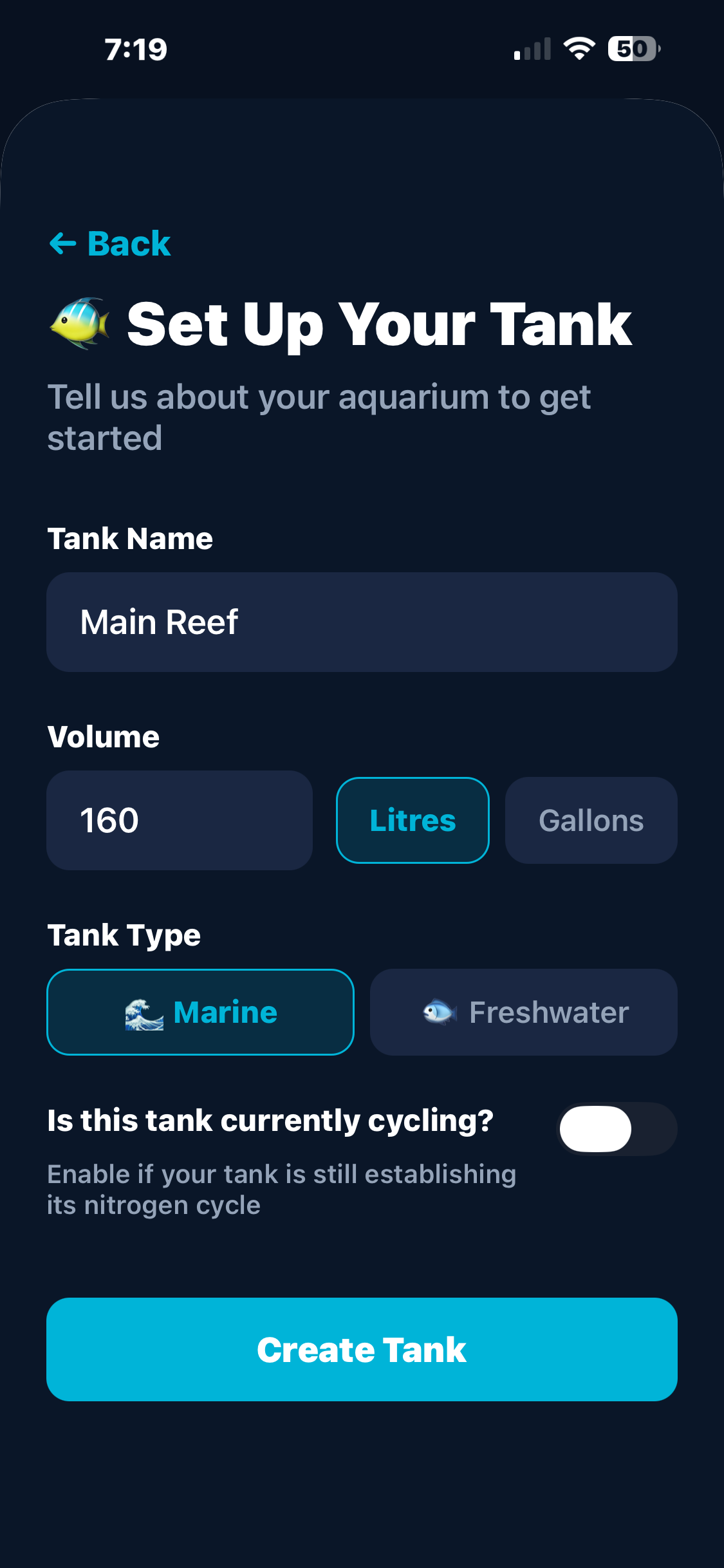
Sign in with Apple, name your tank, set the volume and type. Toggle cycling mode if you're starting fresh.
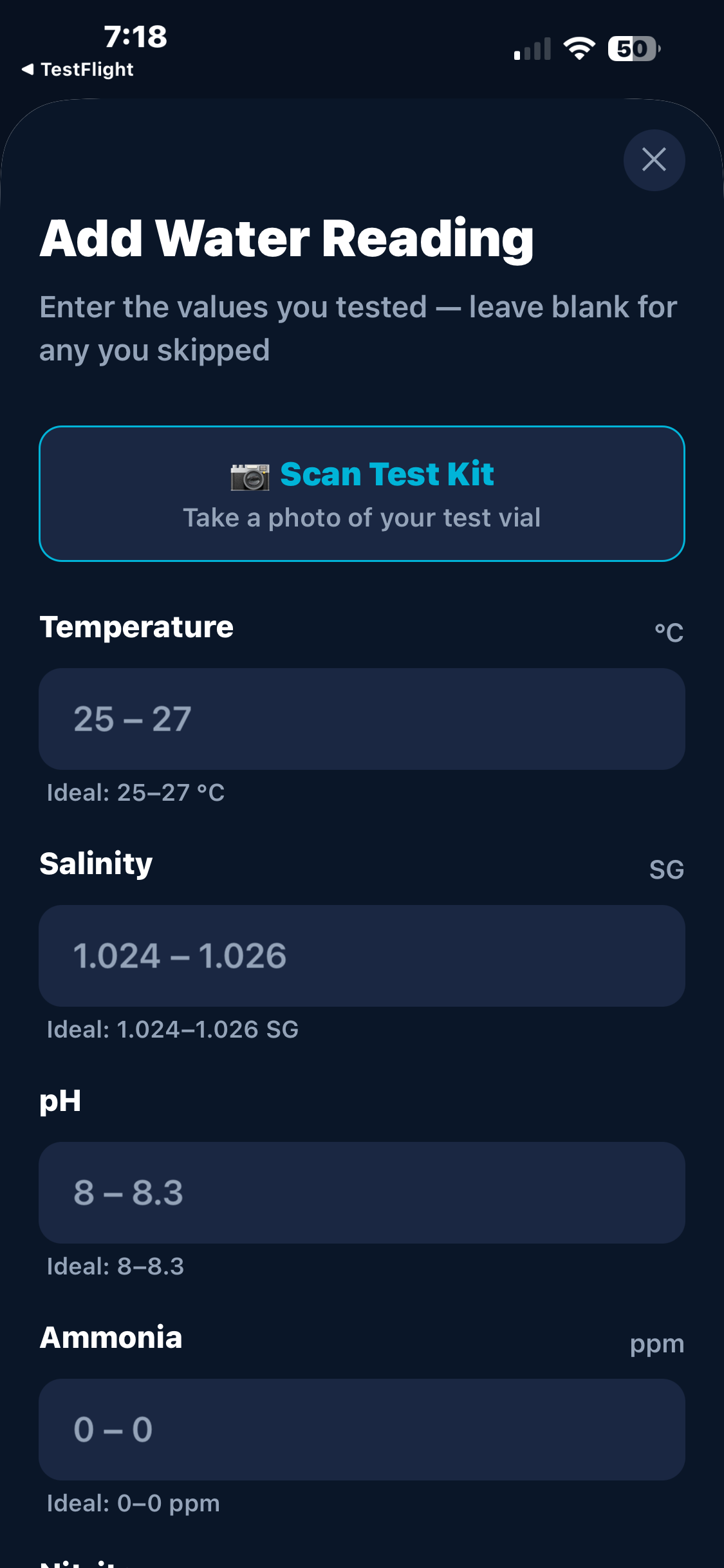
Enter test results manually or snap a photo of your test vial — the AI reads the colour for you.
The AI analyses your reading history to detect real trends. Cycling a new tank? Get a progress bar, phase detection, and beginner-friendly guidance.
Track maintenance, set reminders, monitor livestock, and watch your tank health improve over time.
Everything you need to manage your marine aquarium — and nothing you don't.
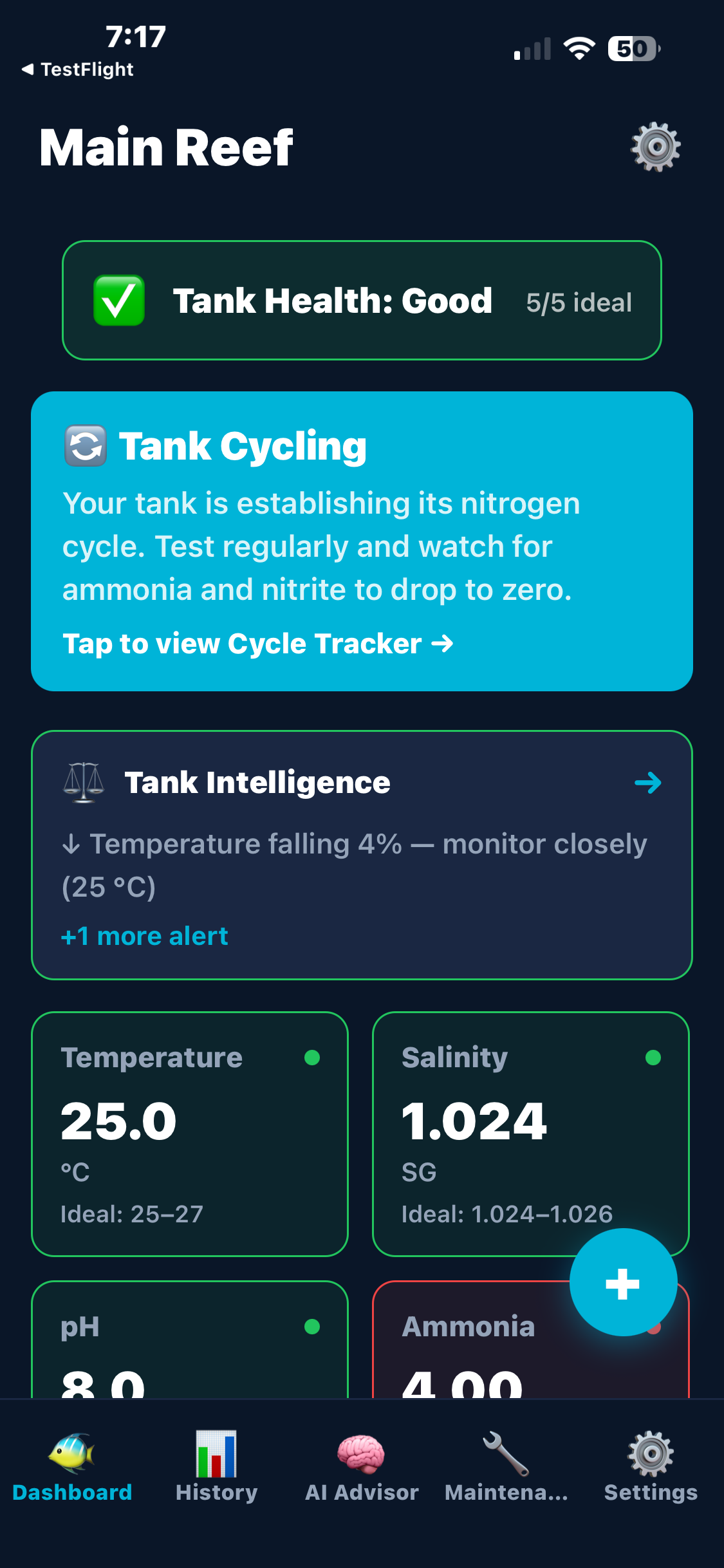
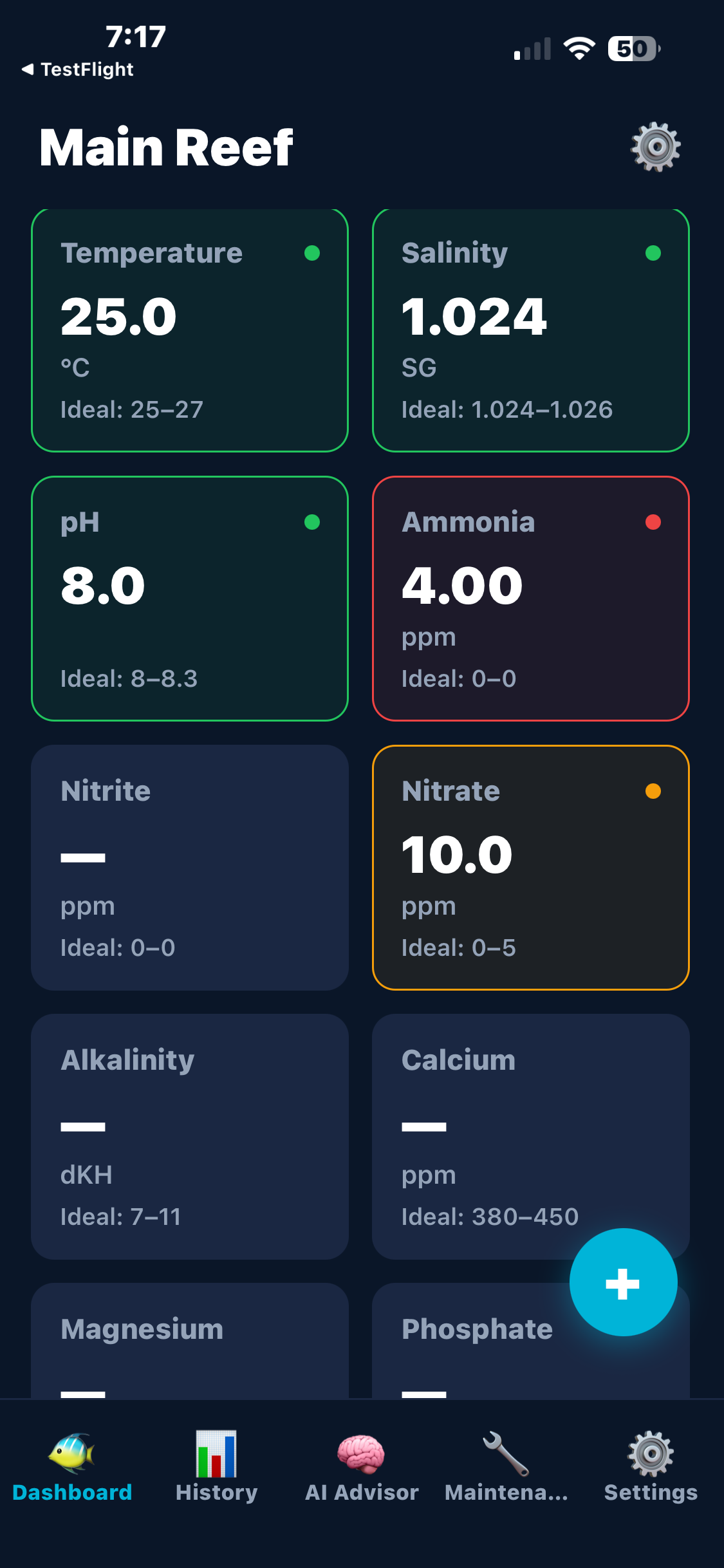
Track 10 key marine parameters with instant colour-coded feedback. Green, amber, and red status at a glance for temperature, salinity, pH, ammonia, nitrite, nitrate, alkalinity, calcium, magnesium, and phosphate.
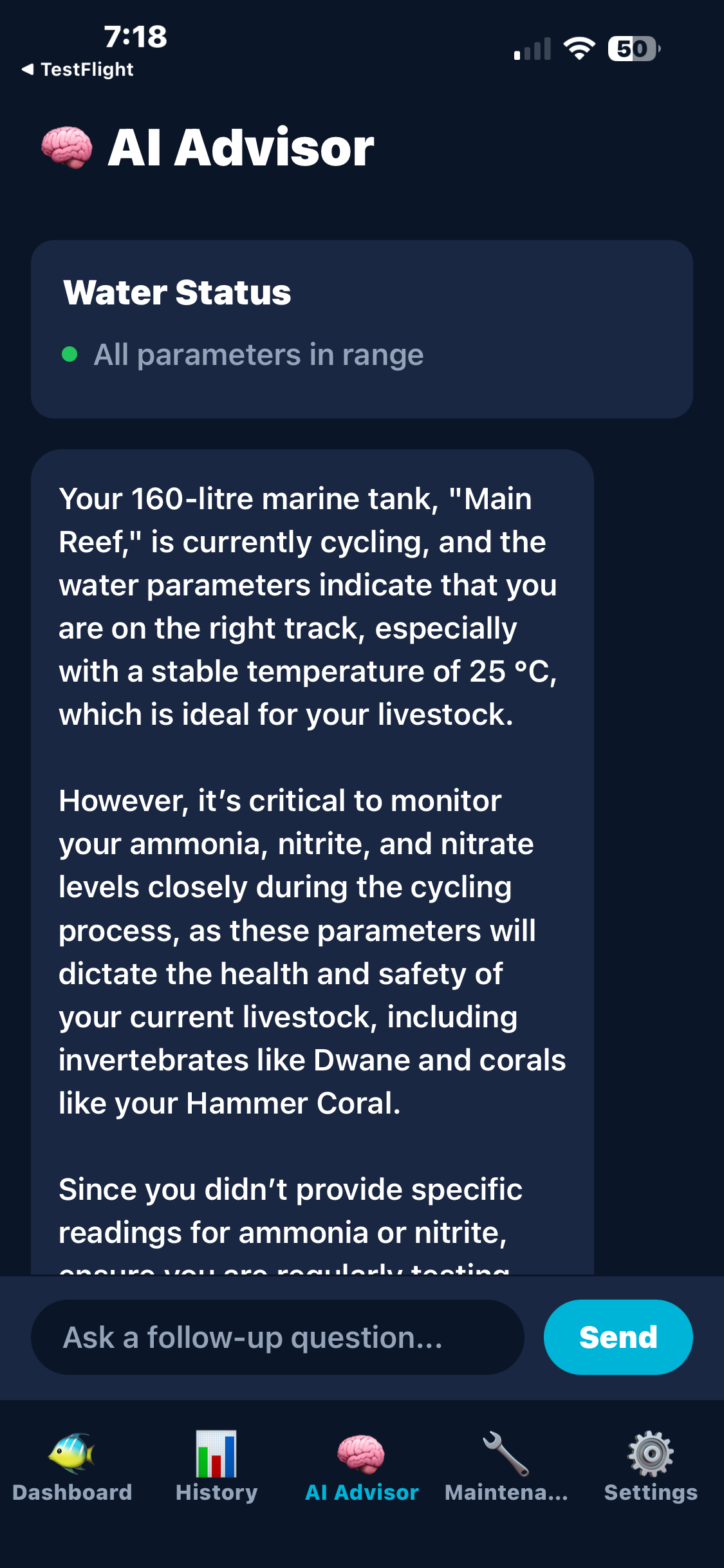
Get personalised, actionable advice from an AI that understands your tank. It analyses your last 7 readings to detect real trends — not just a snapshot. New to the hobby? The AI adapts its tone and advice for beginners cycling their first tank, with encouragement and simple explanations instead of overwhelming technical detail.
Snap a photo of your test vial and let AI read the colour for you. Supports API, Salifert, Red Sea, Hanna, NYOS, and more. No more squinting at colour charts.
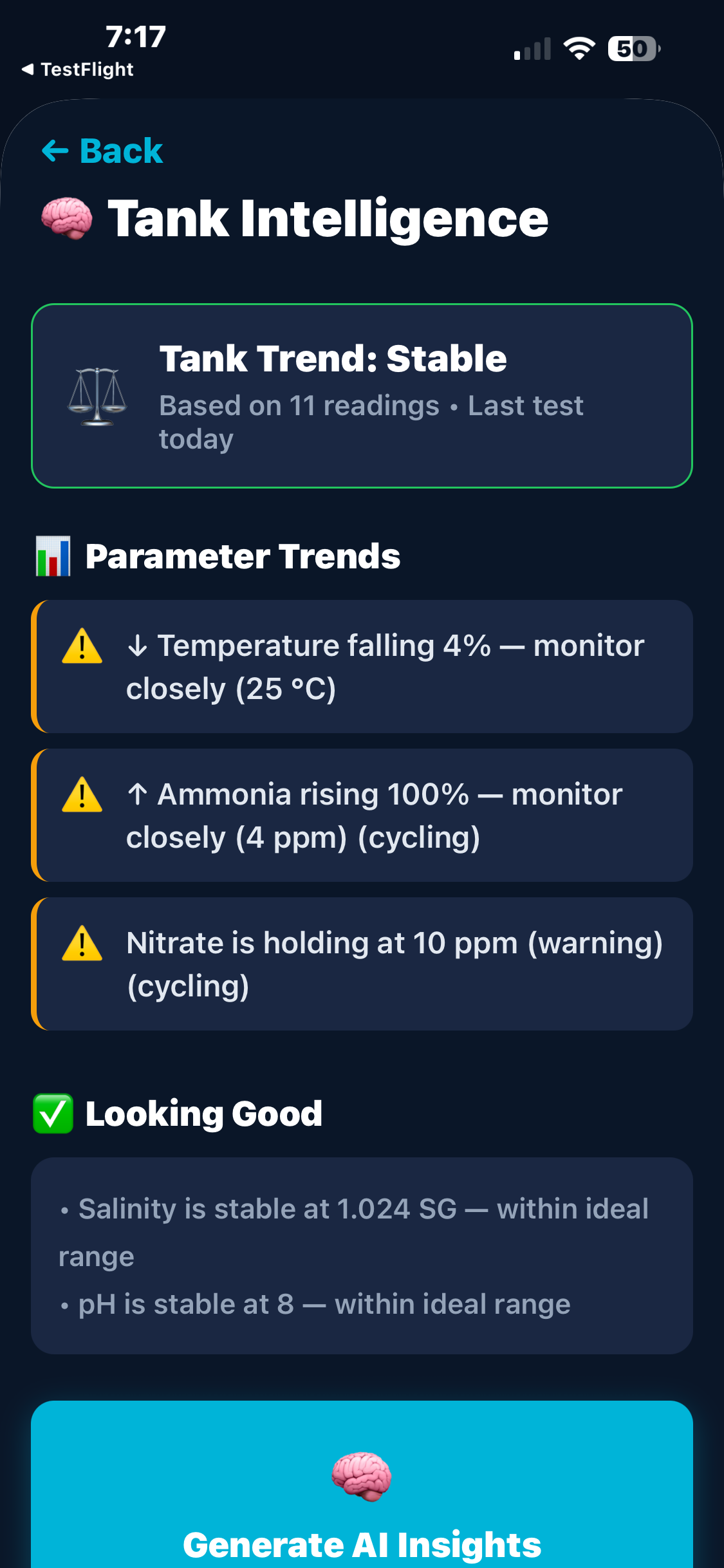
Automatic trend detection, maintenance correlations, and proactive recommendations. See how your water changes affect nitrate, track rising parameters, and get alerted before problems arise.
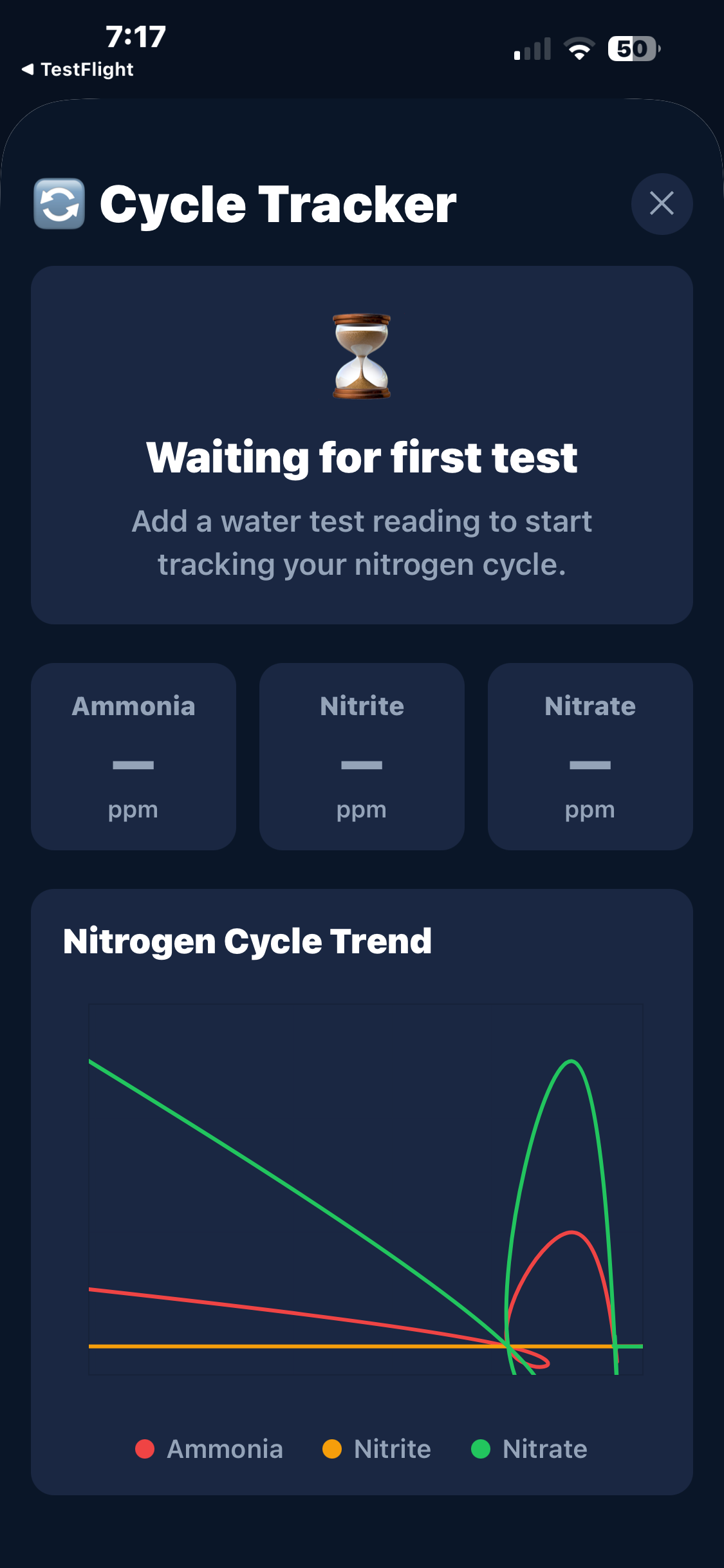
New tank? The AI guides you through the nitrogen cycle with a visual progress bar, phase detection, and estimated days remaining. It knows the difference between ammonia dropping fast (good!) and ammonia stuck for a week (needs attention) — and explains it in plain English.
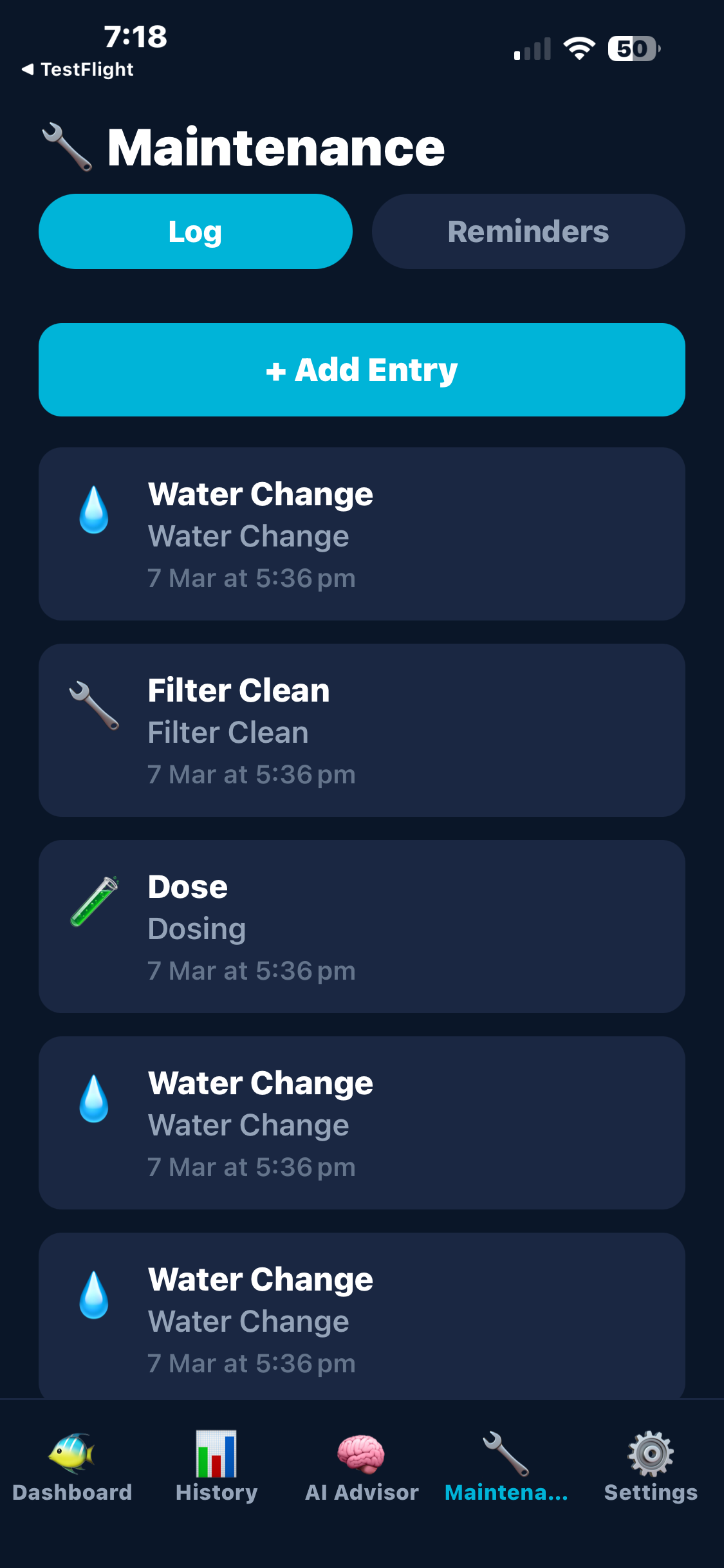
Log water changes, dosing, filter cleans, and more. Set recurring reminders that auto-log when marked as done. Never miss a water change again.
Keep an inventory of your fish, corals, and invertebrates. Track species, costs, and notes. Autocomplete for 33 common marine species.
Document your tank's progress with dated photos. See your coral growth over months in a beautiful timeline view.
Track your gear — pumps, heaters, lights, skimmers, wavemakers. Log install dates, maintenance notes, and costs.
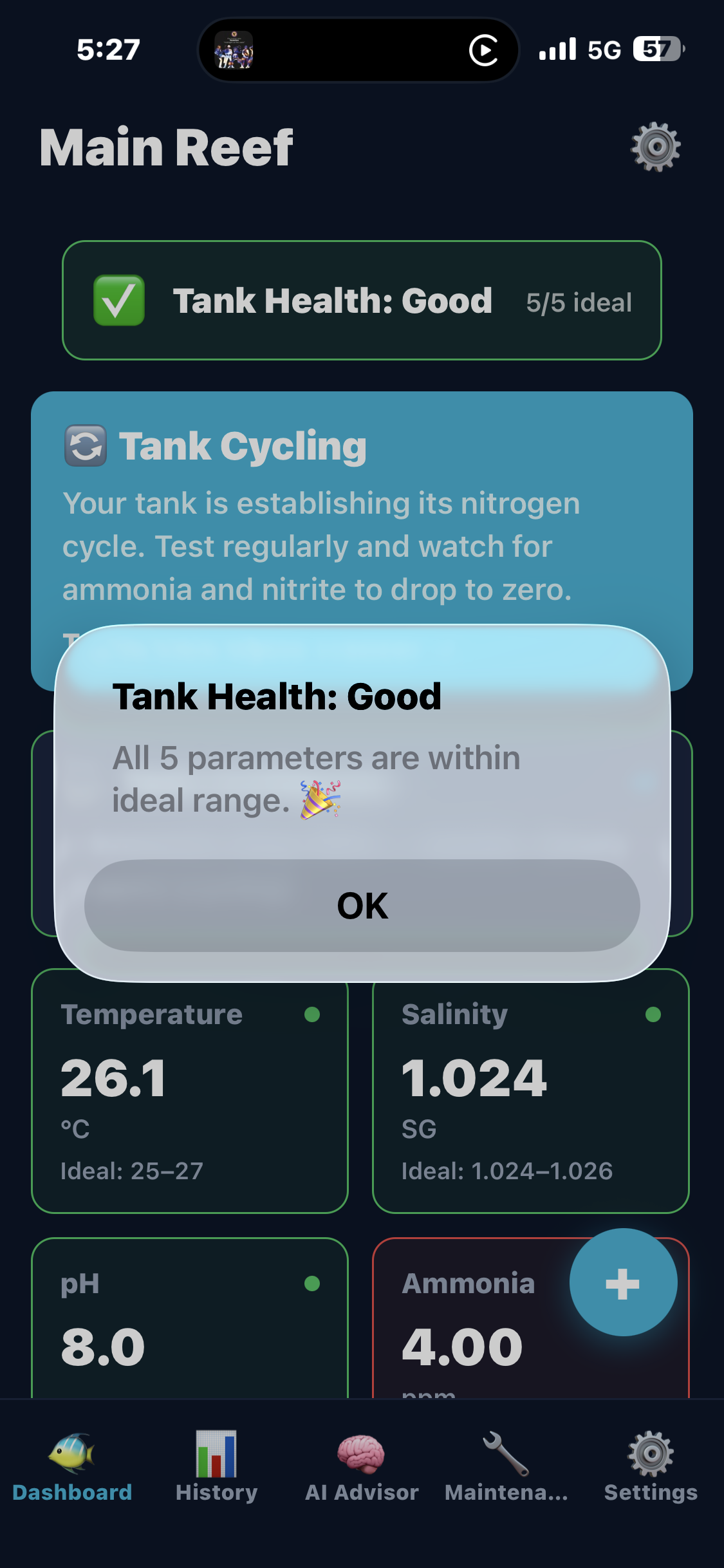
At-a-glance health indicator on your dashboard. Good, Warning, or Critical — based on all your parameters with cycling-aware logic.
Manage multiple tanks from one account. Switch between tanks instantly with per-tank readings, maintenance, and settings.
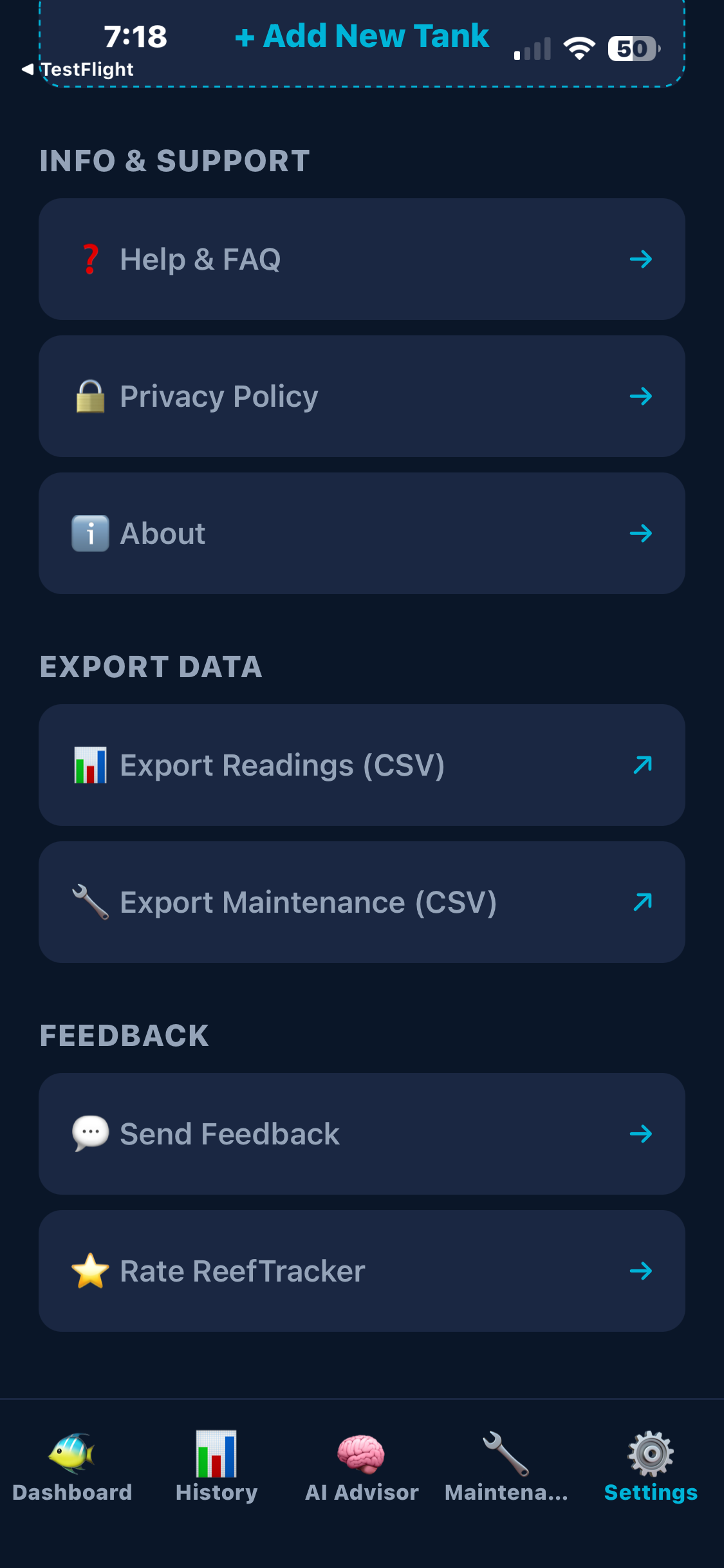
Export your readings and maintenance logs as CSV files. Share via the iOS share sheet for backup or analysis in a spreadsheet.
Choose which water parameters to track. Only see what matters to you on your Dashboard, History charts, and AI advice.
See ReefTracker in action.
ReefTracker vs the alternatives.
| Feature | ReefTracker | Aquarimate | AquaticLog | APEX Fusion |
|---|---|---|---|---|
| Price | Free* | $9.99 | Free | Free |
| Platform | iOS | iOS / Android | Web only | iOS / Android / Web |
| AI-powered advice | ✓ | ✗ | ✗ | ✗ |
| Test kit photo reader | ✓ | ✗ | ✗ | ✗ |
| Trend analysis & intelligence | ✓ | ✗ | Basic charts | Sensor-based |
| Maintenance correlations | ✓ | ✗ | ✗ | ✗ |
| Water parameter tracking | ✓ | ✓ | ✓ | ✓ |
| Customisable parameters | ✓ | ✗ | ✗ | ✗ |
| Livestock tracker | ✓ | ✓ | ✓ | ✗ |
| Maintenance & reminders | ✓ | ✓ | ✓ | Alerts only |
| Photo log | ✓ | ✓ | ✓ | ✗ |
| Cycle tracker | ✓ | ✗ | ✗ | ✗ |
| CSV export | ✓ | ✗ | ✓ | ✓ |
| Apple & Google Sign-In | ✓ | ✗ | ✗ | ✗ |
| Requires controller hardware | No | No | No | Yes (Neptune Apex) |
Aquarimate is a solid parameter tracker — but it costs $9.99 and doesn't offer AI analysis, test kit photo reading, or trend intelligence.
AquaticLog is free and feature-rich — but it's web-only with no native mobile app, no AI features, and no photo-based test reading.
APEX Fusion is powerful — but you need a Neptune Apex controller ($500+). If you don't have one, it's not for you.
ReefTracker gives you AI-powered insights, camera-based test reading, and comprehensive tank management — free*, no hardware required.
*AI-powered features may incur a small usage fee in the future.
Everything you need to know to get the most out of ReefTracker.
Download ReefTracker from the App Store and sign in with your Apple ID or Google account. You'll be prompted to set up your first tank — give it a name, set the volume in litres, and toggle cycling mode if your tank is new.
Tap the + button on your Dashboard to add a water reading. Enter only the parameters you tested — leave the rest blank. Each field shows the ideal range as a hint and gives instant colour feedback (green = ideal, amber = warning, red = critical).
From the Add Reading screen, tap "📷 Scan Test Kit". Select the parameter and your kit brand (API, Salifert, Red Sea, Hanna, NYOS), then take a clear photo of your test vial against a white background. The AI estimates the value — confirm to save.
The AI Advisor analyses your full reading history for cycling tanks (last 7 for established) with timestamps to detect real trends — it knows whether ammonia is dropping fast or stuck. For cycling tanks, it returns a visual progress card with cycle stage, percentage complete, status, next action, and estimated days remaining. For established tanks, it gives expert-level advice with specific product and dosing recommendations. The cycling AI uses GPT-4o for deeper trend analysis, thinking through salinity stability, ammonia and nitrite trends, and cycle stage progression. Ask follow-up questions in the chat interface.
The History tab shows line charts for each parameter over time. Filter by 7 days, 30 days, 90 days, or all time. Tap the parameter pills to switch. Tap any reading to edit it, or long-press to delete.
Access from the Dashboard insights card. Tank Intelligence detects rising, falling, and stable trends across all parameters. Tap "Generate AI Insights" for deep analysis including maintenance correlations and specific recommendations.
If your tank is cycling, the Dashboard shows a cycle banner. Tap it to open the Cycle Tracker — a visual monitor of ammonia → nitrite → nitrate phases with a multi-line chart and tips for each stage. The AI Advisor also shows a cycle progress card with percentage complete, current phase, and estimated days remaining.
The Maintenance tab has two sections: Log (record water changes, dosing, filter cleans) and Reminders (create recurring tasks). When you mark a reminder as done, it auto-logs the maintenance entry and advances the next due date.
Access these from the Dashboard quick links or Settings. Track your fish, corals, and invertebrates. Log equipment with install dates. Capture tank photos for a progress timeline. Tap entries to edit, long-press to delete.
Manage your tanks in Settings — add new tanks, switch between them, toggle cycling mode, or delete a tank. Edit your display name, export data as CSV, send feedback, and access Help & FAQ.
Go to Settings → Export Data. Choose to export readings or maintenance logs as a CSV file. Uses the iOS share sheet so you can save, email, or open in any spreadsheet app.
The health badge on your Dashboard shows Good, Warning, or Critical based on your aggregated 7-day parameter values. Tap it for a breakdown. When cycling, ammonia/nitrite/nitrate are excluded from the health calculation.
Go to Settings → Tracked Parameters to choose which water parameters appear on your Dashboard and History charts. During tank setup, you can also select your preferred parameters. The AI Advisor only analyses your tracked parameters for more relevant advice.
Common questions about using ReefTracker.
Have a question, found a bug, or want to suggest a feature? Get in touch.